
Member Officers
Member Officers can create, access and administer user accounts. This includes updating account details, managing membership, sending messages, managing privacy and notification preferences, adding administration notes, and managing user tags.
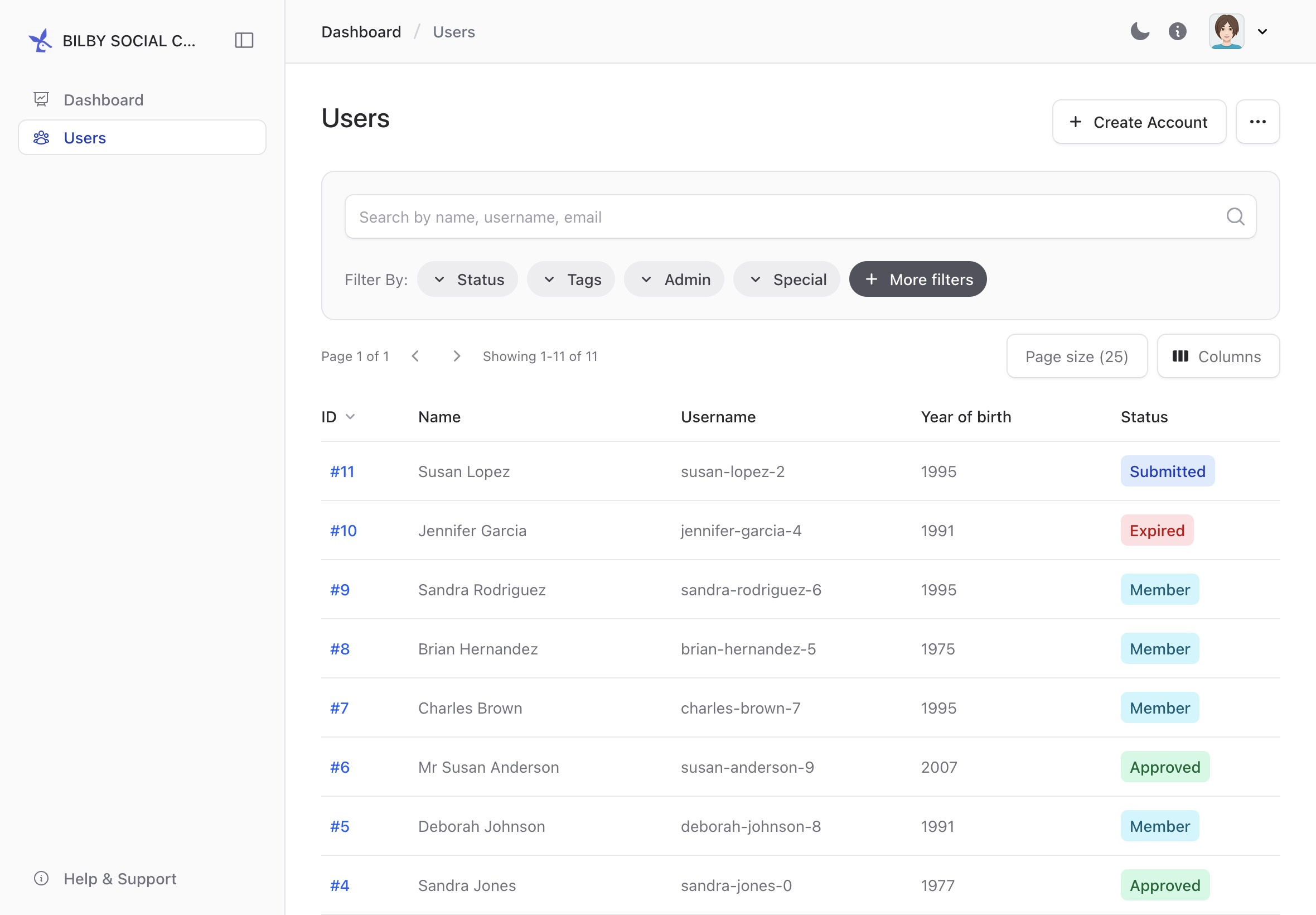
Create a new user account
Member Officers can create an account for a user before the user has registered themselves. This can be useful when helping a new member who is less confident with creating an account.
To create an account, go to Administration → Users and select + Create Account. Enter the user's name and email address, then create the account.
The user can then claim the account using the email address associated with it.
Access a user account
You can access a user's account from the Users reporting page. Select a user to open their account home page.
To find the Users page, select your account menu in the top-right corner of the screen, select Administration, then select Users from the sidebar.
The user's account home page shows the account information available to Member Officers.
Send a message to a user
Member Officers can send an email to a user from their account. Open the user's account and select Send message.
The message editor allows you to compose and send an email to the user.
Add an administration note
Administration notes allow Member Officers to record information about a user that can be accessed by other administrators.
To add a note, open the user's account and select Notes from the sidebar. Add the relevant information and save the note.
Notes are intended for administration information about the user and can be accessed by administrators with the appropriate permissions.
Manage user tags
Tags can be used to organise users and make it easier to find groups of users in reports.
To manage a user's tags, open their account and find the Tags section. Select Manage Tags, select the tags to apply to the user, then select Save.
Some tags provide access to Activities. When a user has an activity tag, they can create and administer activities of that type.
Help a user claim their account
A user can claim an account that has been created for them as long as they have access to the email address associated with the account.
To help a user claim their account, first check the email address on their account. If the email address is correct, trigger a password reset for the account.
The user can then use the password reset email to set their password and access their account.